
Performance Evaluation - FAQs
Reports
- Performance Review- view a performance review for a single user
- Bulk Performance Review- View multiple reports for users
- Performance Review Details Report- Define a date range and print one or more performance reviews for a single user.
- Performance Review Step Status Report- View the status of all steps in a Performance Review task.
- Task User Status- Displays the status of one or more tasks for any organizational unit.
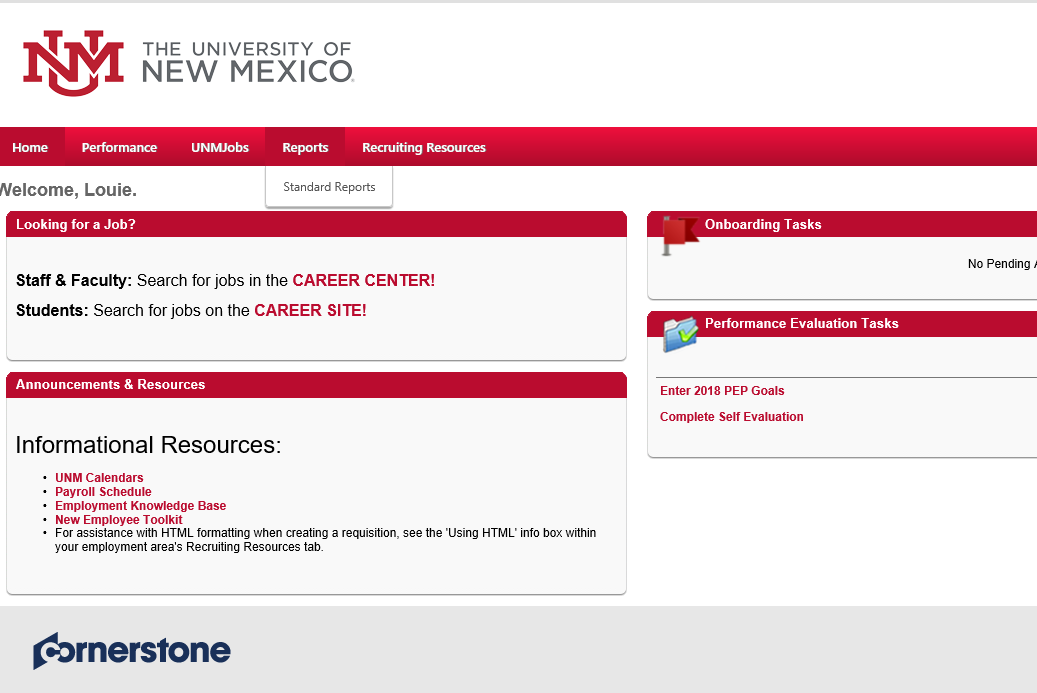
Managers may run “Standard Reports.” This is accessible from you UNMJobs homepage -> Reports -> Standard Reports
Yes you can! Choose the Performance Review Report and choose the employee. You will then have the option to “Print Performance Review.”
You will choose the “Performance Review Details Report.” Choose the date range, user and “Process Report.”
Choose the “Performance Review Step Status Report.” Choose the user criteria and the task. You have the option to a “Printable Version” or “Export to Excel.”
Choose the “Task User Status” report. Choose the user criteria, tasks and you can sort by user or task. You have the option to a “Printable Version,” “Export to Excel” or “Export to Text.”
Send an email to PEP@unm.edu and we’ll get back to you shortly!