
Open Enrollment for Active Employees
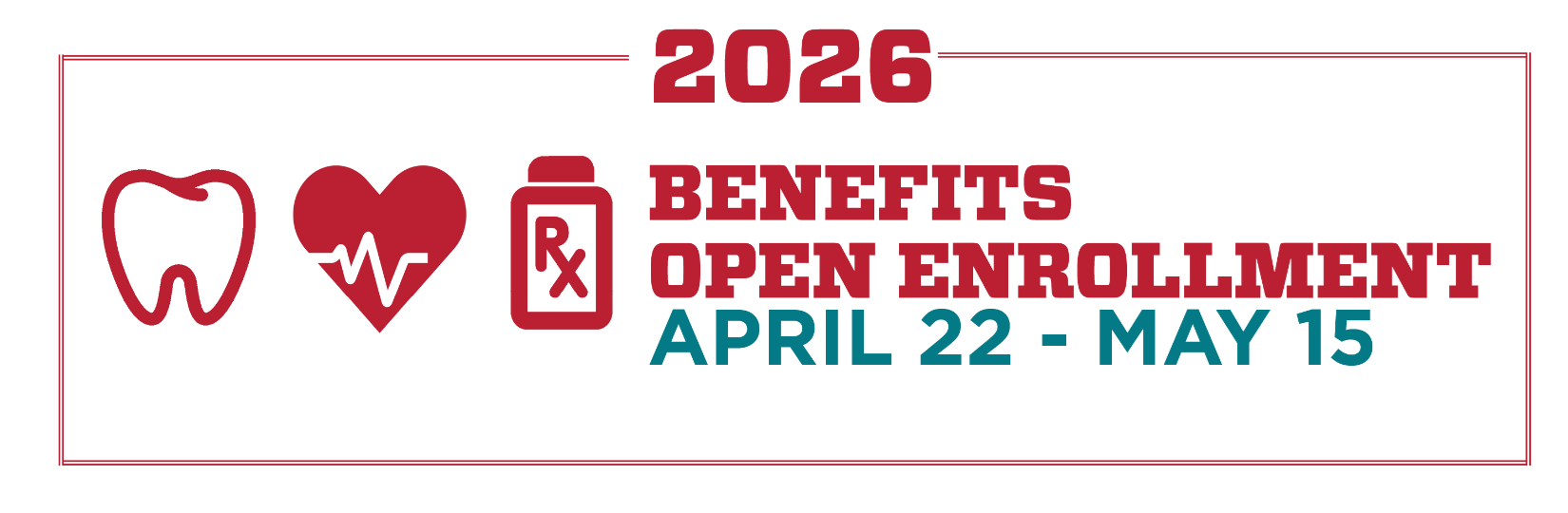
Open Enrollment is scheduled for
April 22 – May 15, 2026.
Eligible employees may enroll in, cancel, or make changes to a variety of health insurance plans.
Due to rising healthcare costs, health insurance premiums are increasing for the 2026-27 plan year.
We recognize the impact this may have and encourage everyone to carefully review their options and select the plan that best meets the needs of their family.
Check back on this page mid-April for Open Enrollment details.
If you need to update benefits due to a qualifying change in status,
visit the Qualifying Change in Status webpage.
About Open Enrollment
Overview
Open Enrollment is your annual opportunity to review your benefits and make sure they continue to meet the needs of you and your family. During this period, you can update your coverage, explore new options, and move confidently into the new plan year.
Video Resources
UNM Open Enrollment 2026
Primavera 2026 en la Universidad de Nuevo México
What You Can Do During Open Enrollment
Benefits You Can Update
During Open Enrollment, you may enroll in, change, or cancel the following benefits:
- Medical
- Dental
- Vision
- Life Insurance
- Accidental Death & Dismemberment (AD&D)
- Short- and Long Term Disability
- Flexible Spending Accounts (FSA) – Health Care and Dependent Care
- Important: FSAs must be elected each year. If you want to participate in an FSA for the upcoming plan year, you must re enroll during Open Enrollment—even if you participated last year.
If you’re eligible for or participating in VEBA, this is also your opportunity to review your options and ensure your elections still support your long term planning goals.
2026 Open Enrollment Dates
- Open Enrollment runs April 22 – May 15, closing at 11:59 p.m.
- Plan changes take effect for the upcoming fiscal year: July 1, 2026 – June 30, 2027 (FY27).
Important Reminder
Remember: Benefit elections must be submitted by May 15 at 11:59 p.m. Once Open Enrollment closes, changes cannot be made unless you experience a qualifying change in status event.
Eligibility & Participation
- Available to active benefits eligible employees
- VEBA eligible employees or participants may review and modify VEBA elections
- You may add or remove dependents as needed during Open Enrollment
Mid Year Changes
- After Open Enrollment closes, changes can only be made if you experience a qualifying change in status event
- Examples of qualifying events include:
- Marriage or divorce
- Birth or adoption
- Loss or gain of coverage elsewhere
- Without a qualifying event, your next chance to make changes will be next year’s Open Enrollment
When Changes Take Effect
- All Open Enrollment elections become effective July 1
- New plan year premiums and payroll deductions begin at the same time
VEBA Opt Out / Opt In
Opt Out
During Open Enrollment, current VEBA participants have the opportunity to opt out of their VEBA contributions. By opting out, participants forfeit access to retiree medical and dental benefits.
Opt In
Employees who previously opted out of VEBA have one opportunity to opt back in. This Open Enrollment option is available to employees who opted out between June 1, 2020 and May 1, 2021. HR will contact VEBA Opt In eligible employees directly.
For more information, visit the VEBA webpage.
Open Enrollment Prescriptions
Important: July 1, 2026: Prescription Drug Plan Transitions from CVS Caremark ® to Express Scripts ® Pharmacy Benefit Services
Starting July 1, 2026, Express Scripts ® Pharmacy Benefit Services will administer prescription drug benefits for UNM employees, pre 65 retirees, and their families who are enrolled in UNM LoboHealth (through BCBSNM) or Presbyterian Health Plan. The last day to fill prescriptions through CVS Caremark ® will be June 30, 2026. This change follows a competitive procurement process required by the New Mexico Procurement Code.
Effective July 1, GLP-1 medication coverage when used for weight management will no longer be covered. There will be no change to coverage for GLP-1 medications prescribed for other conditions. UNM is providing financial support and transition assistance to impacted members currently utilizing these medications. Impacted members will receive a direct communication with additional information. Click here for more information on GLP-1 medications for weight management.
Enrollment in prescription drug coverage is automatic when enrolled in a UNM Medical Plan (UNM LoboHealth or Presbyterian Health).
Employees enrolled in either of UNM’s Medical Plan will receive an Express Scripts prescription drug ID Card by July 1 and must present this new ID card at the pharmacy when filling prescriptions starting on that date.
FY27 (July 1, 2026 – June 30, 2027) Plan Year
- Express Scripts Benefit Summary
- Express Scripts Standard National Preferred Formulary List and Standard National Preferred Formulary Exclusion List with Preferred Alternatives
- Commonly Prescribed Specialty Medications
- Pharmacy Locator
- Price A Medication
- Get to Know Accredo Specialty Pharmacy
- Transitioning to Express Scripts FAQs
Express Scripts Contact Information
Beginning April 22 at 8:00 a.m., call the Express Scripts Member Services dedicated toll-free customer service number for UNM at 800.743.1720
Frequently Asked Questions
General
Yes. Express Scripts will mail new prescription ID cards. Watch for a welcome letter with your cards in June. Be sure to start using your new card starting July 1, 2026 —whether filling a prescription for yourself or a covered family member. Starting July 1, 2026, you can also access your digital prescription ID card online at www.express-scripts.com and on the Express Scripts ® mobile app. You can download the Express Scripts mobile app for free from your device's app store.
Beginning April 22 at 8:00 a.m., you may call the Express Scripts ® Member Services toll-free number for UNM at 800.743.1720. Express Scripts representatives will be available 24 hours a day, 365 days a year.
Preferred Medications and Your Plan’s Coverage
UNM’s current prescription drug benefits, such as copays or coinsurance, are not changing. However, the Express Scripts formulary may differ slightly from the current CVS Caremark formulary, which means your medication may be at a different formulary tier or excluded on Express Scripts’ formulary. Beginning April 22, you can calculate the estimated cost of your current medication(s) using the Price A Medication tool available on UNM’s open enrollment site. On the site, you can also check the formulary status of a medication and view preferred alternatives and excluded medications.
Yes. UNM’s list of preferred medications – also known as a Formulary – is changing effective July 1, 2026. This means your medication may be at a different formulary tier or excluded. You can view Express Scripts Standard National Preferred Formulary List and Standard National Preferred Formulary Exclusion List with Preferred Alternatives.
To confirm if your medication will be considered a preferred medication, log on to express-scripts.com on or after July 1 to verify coverage, price medications, and find covered alternatives. If you are taking a preferred brand-name drug that will become non-preferred, consider talking to your doctor about a lower-cost option.
Starting July 1, UNM’s plan will use the Express Scripts Standard National Preferred Formulary List. An online Price A Medication calculator tool will be available on April 22 to provide you with real-time cost estimates at different pharmacies by zip code.
Express Scripts© National Preferred Formulary is a list of preferred medications covered under your plan. Your formulary offers a wide selection of generic and brand-name prescription medications chosen to help keep prescription medication costs down. Log in to express-scripts.com on or after July 1, 2026, to find coverage and pricing details, and to see whether your medication has a generic equivalent. If you prefer, beginning April 22, you can also call the Express Scripts dedicated UNM customer service line at 800.743.1720 to speak with an Express Scripts representative for assistance.
Yes. Prior to July 1, Express Scripts will send a notification letter to individuals taking a medication that will be impacted, and their current medication will be a higher tier or excluded from the National Preferred Formulary. The notification will include alternative medications that are on a lower tier on the formulary to help you save money.
After July 1, Express Scripts will mail a notification letter to you if your drug changes formulary status.
Yes. Generic drugs have the same active ingredients as their brand-name counterparts and must meet the same FDA standards for quality, purity, safety, and effectiveness. The inactive ingredients may be different, which can impact a drug’s shape, color, size, or taste. But the drug’s strength and dosage will be the same as the brand-name drug.
Generic and preferred brand-name drugs are effective and can help you save money. For example, generic drugs are chemical copies of the brand-name drugs but cost you less under your Plan.
If you’re taking a non-preferred brand-name drug, ask your doctor whether a lower-cost preferred alternative would be right for you. If you request a brand-name medication when a generic is available, you will pay the brand-name drug price PLUS the difference in cost between the generic and brand-name medication. Of course, if there’s a medical reason that you need to take the brand-name drug, your provider can complete a prior authorization for approval. If approved, you won’t have to pay the penalty.
Beginning July 1, you may have your physician contact Express Scripts to request a medical review or prior authorization for your new prescription. Your physician can visit the Express Scripts ® Pharmacy Benefit Services online portal at esrx.com/PA or call Express Scripts at 800.417.1764 to request a review.
You can view the National Preferred Formulary Exclusion List with Preferred Alternatives. Starting July 1, 2026, log in to express-scripts.com and use the Price a Medication feature, available under Manage Prescriptions. Look up your medication’s name and click View Coverage Notes for details. If you prefer, beginning April 22, you can also call the Express Scripts dedicated UNM customer service line at 800.743.1720 to speak with an Express Scripts representative for assistance.
Medications excluded from your formulary will require prior authorization for coverage. Prior authorization is a program that monitors certain prescription medications and their costs to determine whether your use of certain medications meets your plan’s conditions of coverage. It works much like healthcare plans that approve certain medical procedures before they’re done, to make sure you’re getting tests you need. If you’re prescribed certain medication, it may need a prior authorization. A prior authorization makes sure you’re getting a cost-effective prescription medication that works for you.
Beginning July 1, if your prescription requires prior authorization, you may have your physician contact Express Scripts to request a medical review or prior authorization for your new prescription. Your physician can visit the Express Scripts ® Pharmacy Benefit Services online portal at esrx.com/PA or call Express Scripts at 800.417.1764 to request a review.
If you are on a medication that received prior authorization in 2025, that prior authorization will be transitioned to Express Scripts. You will receive a notification in the Express Scripts portal 60 days before your prior authorization expires so you may re-initiate it with your physician.
Prescriptions and Pharmacies
No, you can go to any pharmacy in the Express Scripts pharmacy network, as well as UNM Pharmacies. Beginning April 22, use the Express Scripts ®Pharmacy Locator to check for your pharmacy, or call the Express Scripts dedicated UNM customer service line at 800.743.1720 to speak with an Express Scripts representative.
Most major drugstores participate in the Express Scripts retail pharmacy network. If yours is in network, your retail prescriptions will stay as they are, and you can keep using your preferred pharmacy. The only change is you’ll need to show your new Express Scripts ID card the first time you fill prescriptions starting July 1, 2026.
Starting July 1, simply log in to express-scripts.com, and you can search for nearby pharmacies in your prescription plan’s network using the Find a Pharmacy tool under Prescriptions in the main menu. You can search for nearby network pharmacies by ZIP code or city and state. You can also find a list of the services available at each pharmacy.
Through Express Scripts Pharmacy Home Delivery, you can get a 90-day supply of your medications shipped right to your door—saving you time and money. You can even set up automatic refills, so you never have to worry about running out. Log in to express-scripts.com starting July 1 to manage your prescriptions.
Yes. We want your transition to Express Scripts to be a smooth one. So, in most cases, if you used CVS Caremark home delivery previously, your active prescriptions will transfer to Express Scripts Home Delivery for you. You won’t have to do a thing. Starting July 1, 2026, you’ll see your active prescriptions when you register and log in to your Express Scripts account—online or on the mobile app.
Website and Mobile App
Starting July 1, visit express-scripts.com and click the Register button. You’ll need to provide your preferred email address, name, date of birth, and ZIP code, and create a password.
You can do everything related to managing your prescription drugs. Starting July 1, visit the website to:
- Check prescription coverage and pricing
- Find participating retail pharmacies near you
- See how much your medications will cost
- Start or refill home delivery prescriptions online
- Check your order status
- Receive timely medication alerts
- Find potential lower-cost options available under your plan
- Ask questions of a pharmacist online
- See Prior Authorizations status
Visit your mobile device’s app store and search for “Express Scripts.” From there, you can download the app and use it for free.
You can use the Express Scripts mobile app to manage your prescriptions on the go. For example, the app makes it easy to:
- View and refill your medications
- Check order status
- Set reminders for when to take your medications
- Get notifications when you are running low and other personalized alerts
- Check for lower-cost prescription options available under your plan
- Show your digital member ID card at the pharmacy
Specialty Medications
No immediate action is needed if you have a current prescription at the CVS Caremark Specialty Pharmacy. Your open prescription with refills will transfer directly to Accredo Specialty Pharmacy after 7/1. Express Scripts will be sending you a notification letter with Accredo Specialty Pharmacy contact information and next steps prior to 7/1. Beginning July 1, you can reach Accredo Specialty at 800-870-4498, or you can visit them online at https://www.accredo.com.
If you have a new prescription, ask your doctor to send it electronically to Accredo. Once it's ready, a patient care advocate will call you to schedule delivery.
You can choose to utilize Accredo Specialty Pharmacy for specialty prescriptions or fill your specialty medication at any participating network specialty pharmacy.
Yes. The University of New Mexico has partnered with SaveonSP to provide a specialty pharmacy copay assistance program. A select group of approximately 400 specialty medications in 20 therapy classes are part of the SaveonSP program. Starting July 1, you may visit saveonsp.com/unm to see the latest list of medications under this program.
If you are currently taking a specialty medication that is part of the SaveonSP program, you will receive a letter in June with more details. As part of this benefit, medications included in SaveonSP will be subject to a 30% coinsurance; however, you could pay as little as $0 for them.
If you submit a new specialty prescription, an Accredo representative will reach out to you prior to processing the prescription and assist you with enrolling in the program by engaging you with a SaveonSP representative.
No. Accredo is part of your prescription drug benefit.
No. Accredo manages specialty medications only.
Yes. Biosimilars are medicines made to be very similar to existing biologic drugs (Humira, Enbrel, or Remicade, for example). The FDA requires biosimilars to show no meaningful differences in safety or effectiveness compared to the original biologic. While generic drugs are the exact same chemical copies of the brand-name drugs, biosimilars are highly similar because biologics are made from living cells, which are naturally more complex.
Welcome, Lobo Pack! We’re glad you’re here
Take a few minutes to explore this page—it’s designed to help you navigate key benefit details as you prepare for the upcoming Plan Year. Here, you’ll find important resources such as Benefit Premium Rates, Plan Summaries, and required Mandatory Notices.
The Open Enrollment materials on this page cover Medical/Prescription Drug, Dental, and Vision plans, along with Flexible Spending Accounts (FSAs) and Life & Disability insurance—everything you need to make informed choices for you and your pack.
Medical
| Plan | Changes |
| Presbyterian |
|
| UNM LoboHealth |
|
FY27 Medical Rates (See Rate Change FAQs below)
Prescription Drug
For FY27 and effective July 1, 2026, UNM Prescription Drug coverage is transitioning from CVS Caremark ® to Express Scripts ® Pharmacy Benefit Services and will continue to provide prescription drug benefits for anyone enrolled in either medical plan.
Express Scripts ® Pharmacy Benefit Services includes the Accredo Specialty Pharmacy, which offers certain specialty drugs at a zero ($0) dollar copayment when members participate.
When you enroll in either of UNM’s Medical plans, you’re automatically enrolled in the prescription drug plan, and the cost is included in the Medical premium.
For additional information about the services available to you through Express Scripts ® Pharmacy Benefit Services, please visit the Prescription Drug Transition tab to learn more.
Dental
There are no plan or rate changes for FY27. Read about UNM’s Dental insurance plan through Delta Dental of New Mexico.
Vision
For FY27, there are no changes to the plan design or rates. Read about UNM’s Vision insurance plan through VSP.
Life Insurance, Accidental Death and Dismemberment (AD&D), and Disability
For FY27, there are no changes to the plan designs or rates for insurance plans through The Hartford.
During Open Enrollment, you can make changes to your Life, Short-Term Disability, Long-Term Disability, and Accidental Death and Dismemberment (AD&D) insurance plans via the online Life, Disability, and AD&D Web Form available through LoboWeb beginning April 22, 2026.
Life Insurance | AD&D | Short-Term Disability | Long-Term Disability
Flexible Spending Account (FSA)
This is your opportunity to enroll in an FSA for the FY27 Plan Year. If you are currently enrolled and want to continue to take advantage of FSA in the upcoming Plan Year, you must re-enroll.
The FY27 Health Care FSA Plan Year maximum election is $3,400, and the carryover amount will increase to $680. The FY27 Dependent Care FSA Plan Year maximum election is $7,500.
Individuals who will meet or exceed the salary threshold of a Highly Compensated Employee as determined by the IRS, and considering enrollment in the Dependent Care FSA plan should review the tax advisory on the FSA webpage prior to enrolling.
Health Care FSA funds can be used for:
- Over-the-counter medications, including allergy and cold medicines
- Feminine hygiene products
- Ordering online and shipping to your door via FSA | HSA Amazon Store, CVS, Walgreens and more!
Check out the FSA Store for even more eligible expenses!
FSA Debit Cards will be arriving in mailboxes around July 1 for new FSA enrollees.
For more information about claim deadlines, “use it or lose it” provisions, and other plan rules, visit the FSA webpage.
Rate Change FAQs
Health premiums rise when the overall cost of providing care goes up. This includes higher prices for medical services, increased use of healthcare, and rising prescription drug costs. UNM’s premium increases are consistent with local and national trends of increasing healthcare costs.
To help manage long term costs and minimize premium increases for all employees, UNM will discontinue coverage of GLP 1 medications when prescribed for weight management, effective July 1. This decision follows an extensive review of utilization trends, benchmarking data, long term cost projections, and broad stakeholder engagement throughout the year. Coverage for GLP 1 medications used to treat other conditions, including diabetes, will not change.
UNM's self-insured model ensures that approximately 94% of the premiums paid by employees and UNM directly fund healthcare services, such as doctor visits, hospital stays, and prescriptions. While we partner with insurance companies like BCBS and Presbyterian for administrative services, including claims processing and customer service, our self-insured approach enables us to manage costs effectively. By self-insuring, we can prioritize providing comprehensive coverage to our employees while saving costs that would otherwise go towards profit margins. This year, for the prescription drug component, UNM conducted a competitive bid for our prescription drug plan to secure better pricing and help manage costs more effectively. Click here for more details.
UNM collaborates with external benefits consultants to assess the funding required to cover healthcare claims and administrative costs for the upcoming fiscal year. This analysis considers factors such as the previous year's costs, national and local healthcare trends, and projected needs. The increase in premiums reflects the necessary adjustments to ensure adequate funding for healthcare services and support continued access to quality care for our employees.
Calculating your estimated premium contributions is made easy with our Benefits Calculator. Simply visit UNM Benefits Calculator and input your relevant information to receive a breakdown of your estimated premium contributions for the upcoming Plan Year. This tool will help you make informed decisions about your benefits coverage and understand any changes in your premium contributions based on your salary level and coverage choices.
- There are no plan design changes to our medical plan; copays, deductibles, and out-of-pocket maximums remain the same.
- July 1, UNM is transitioning from CVS Caremark ® to Express Scripts ® Pharmacy Benefit Services to administer our prescription drug plan. Click here for more details.
- July 1, UNM will discontinue coverage of GLP-1 medications when prescribed for weight management. Click here for more information about this change.
- You can continue to access the same comprehensive medical, prescription drug, dental, and vision coverage options offered by UNM.
During the Open Enrollment period, you will receive detailed instructions on how to review and make changes to your current benefits elections. This typically involves accessing the online enrollment portal or submitting paper forms provided by Human Resources. We'll ensure you receive all necessary information to make informed decisions about your benefits.
Yes, Open Enrollment provides an opportunity to review and update your dependent coverage. You can add or remove dependents from your health insurance plan as needed. Please ensure you review the eligibility criteria and any documentation requirements outlined in the enrollment materials provided.
UNM offers a wide array of resources to support your wellness journey. We encourage you to subscribe to the UNM LoboWell Newsletter, a monthly email delivering practical, health enhancing tips straight to your inbox. Each issue features curated content on nutrition, fitness, emotional well being, and financial wellness—designed to help you thrive and achieve a healthier work life balance.
For subscription instructions please click here.
Start receiving valuable wellness wisdom straight to your inbox!
Please visit the Employee Wellness website to explore upcoming events and featured resources. Learn more about ongoing online workout classes designed for all fitness levels, as well as one-on-one consultations to support your physical, mental, and financial well-being. You’ll also find a variety of educational courses, financial wellness presentations, and special programs focused on stress management, healthy habits, and work-life balance.
Tips for Reviewing Your Benefits
Sorting through benefits? These Lobo-friendly tips will help you navigate your Open Enrollment options and choose the right benefits for you and your family.
Employee Tip Sheet: Evaluating Benefit Changes
1. Review What’s New for FY2027
- Look for updates in medical, dental, vision, and voluntary plans.
- Check for changes to prescription drug formularies.
- Identify new plan types such as variable copay or reduced-network plans.
2. Do the Financial Math
- Review your current UNM Benefits Statement
- Compare total annual payroll deductions for each plan.
- Is your Benefit Salary Tier changing?
- Estimate your total yearly premium (monthly premium × 12 or biweekly premium x 24).
- Evaluate out-of-network coverage limitations and any referral requirements.
- Consider enrolling in a Flexible Spending Account
3. Reassess Personal & Family Needs
- Add or remove dependents as needed.
- Re-evaluate life and disability coverage based on life changes (marriage, new child, caregiving responsibilities).
- Review beneficiaries and emergency contacts.
- Update mailing address through Demographic Self-Service
4. Understand Enrollment Rules & Deadlines
- Confirm your open enrollment window and deadlines.
- Know when changes are locked in and what qualifies as a mid-year change.
5. Use UNM Communication Tools & Resources
- Review plan summaries, FAQs, and webinars (live or recorded).
- Use any plan comparison tools or cost estimators available in your enrollment portal.
6. Check Required Notices (When Applicable)
- Review your Benefits Statement “Summary of Benefits & Coverage” (SBC)
- Review required notices shared during enrollment.
7. Ask Questions Early
- Contact Benefits & Employee Wellness at 505.277.6947 or HRBenefits@unm.edu - support resources get busier near deadlines.
Employee Open Enrollment Checklist
- Review all updated benefit plan documents.
- Compare at least two medical plan options.
- Compare to external plan options available, for example, with a spouse’s employer benefits, or BeWellNM.com.
- Verify your primary doctor and preferred facilities are in-network.
- Check prescription coverage for your regular medications.
- Review dependent, beneficiary, and emergency contact information.
- Estimate your annual premium and expected out-of-pocket costs.
- Submit your elections before the deadline (avoid last-day issues).
View or Change Your Benefits

During Open Enrollment, you can enroll or make changes to your Medical, Dental, and Vision insurance plans through the online Open Enrollment Web Form available through LoboWeb beginning April 22, 2026.
New Instructional Videos Available April 22
Step-by-step instructional videos - available in English and Spanish - to help guide you through completing the Open Enrollment Web Form can be accessed by clicking the red ‘View or Change Benefits’ button above.
You may also update your Life Insurance, Short-Term Disability, Long-Term Disability, and Accidental Death and Dismemberment (AD&D) coverage during this time.
If you’d like to enroll—or re-enroll—in a Flexible Spending Account (FSA) for FY27, be sure to click the red button above and follow the steps for enrolling and submitting your elections.
FSA Reminder
Annual Re Enrollment Required
FSA participation does not carry over from year to year.
If you are currently enrolled in an FSA, please note that your FSA account will not automatically continue from the previous Plan Year (July 1, 2026 - June 30, 2027) into the upcoming Plan Year (FY27), July 1, 2025 - June 30, 2026. You must re-enroll during Open Enrollment if you wish to participate.
How to Access online Open Enrollment Web Form
- Go to MyUNM.
- Log in with your UNM Net ID and password
- Click ENTER LOBOWEB
- Click Benefits and Deductions
- Click Open Enrollment
- Complete the secure Multi-Factor Authentication (MFA) process if prompted
- Follow the prompts to enroll in, cancel, or make changes to your benefits
- Retain a copy of the confirmation on your screen by printing it or “print to PDF”.
For Net ID assistance, please visit the NetID Help webpage.
Questions?
If you have questions about Open Enrollment, contact Benefits & Employee Wellness at hrbenefits@unm.edu or 505-277-6947.